
Transport Fever 3 has been shown running in active gameplay on a physical Steam Deck. That demonstration does not establish an official compatibility badge, a stable frame-rate target or a recommended settings profile. Four inspected moments show 31, 35, 28 and 51 FPS under different chapter labels and in different scenes. Each value is an instantaneous counter reading.
The performance video also reports a controller limitation: selecting some buildings requires activating the mouse cursor on the trackpad. Consider both sustained performance and building selection when deciding whether the handheld experience meets your needs.
What the gameplay demonstration shows
One video is titled Steam Deck OLED / Transport Fever 3 Performance / SteamOS 3.9.2. Its description divides the recording into four settings chapters. The device variant and operating-system version are the creator's labels, not requirements for everyone running the game.
The footage shows more than a title screen. The observed scenes include a forest and river, a city with a warehouse mission prompt, cargo-station placement, and bridge construction. These establish that the game rendered several active gameplay situations on the pictured handheld.
They do not establish long-session stability or performance in a developed transport network. A single running scene cannot predict how another map, save or campaign situation will behave. The demonstrated setup also does not supply a complete, reproducible installation procedure.
Four isolated FPS observations
| Approximate video time | Creator's chapter label | Scene at the inspected moment | Counter |
|---|---|---|---|
| 00:10 | Low preset, 100% resolution scale | Forest and river with controller UI | 31 FPS |
| 02:20 | Low preset, 60% resolution scale | City with a mission warehouse prompt | 35 FPS |
| 04:35 | Medium preset, 60% resolution scale | Cargo-station placement across a wider river and city view | 28 FPS |
| 06:45 | Low preset, 70% resolution scale, LSFG-VK 2X | Bridge-building prompt in another city scene | 51 FPS |
The table associates each counter with its scene and chapter label. It is not a benchmark ranking. Camera views, activities and in-game dates differ between the inspected moments, so the readings cannot isolate the effect of a setting change.
Low preset at 100% scale
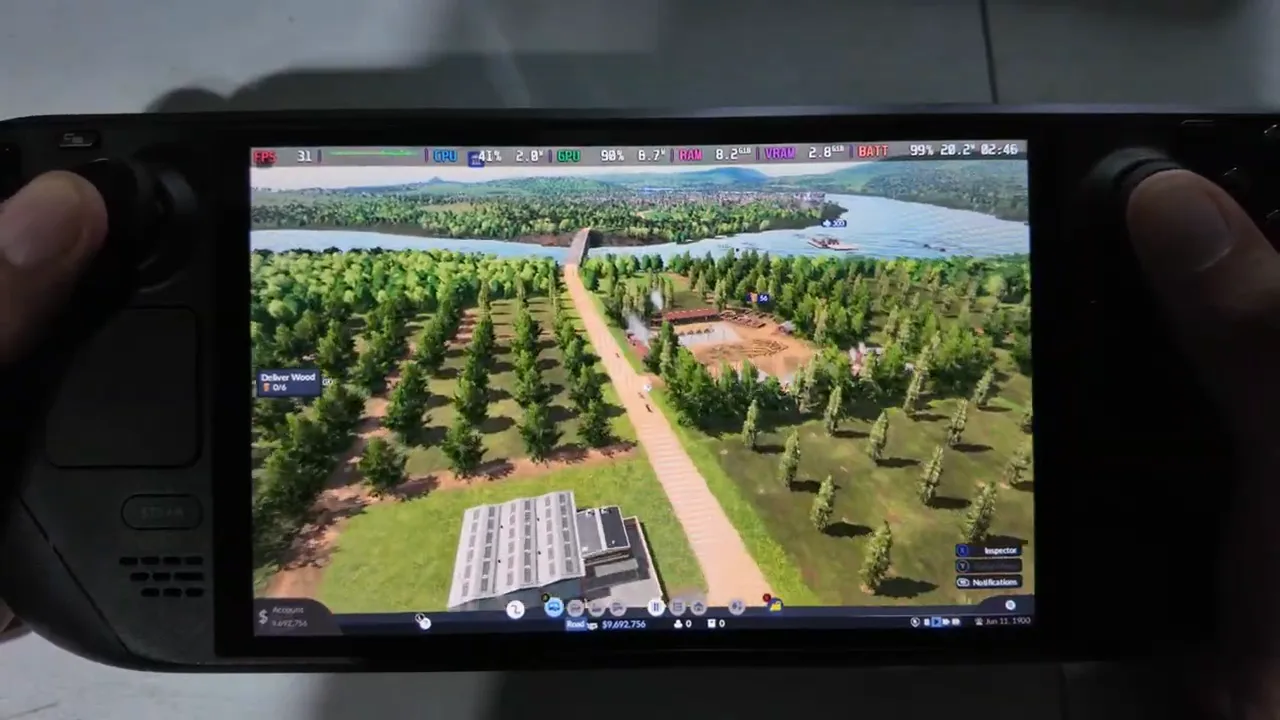
Low/100% chapter, instantaneous 31 FPS in a forest scene. Different scenes prevent a controlled settings comparison.
Low preset at 60% scale
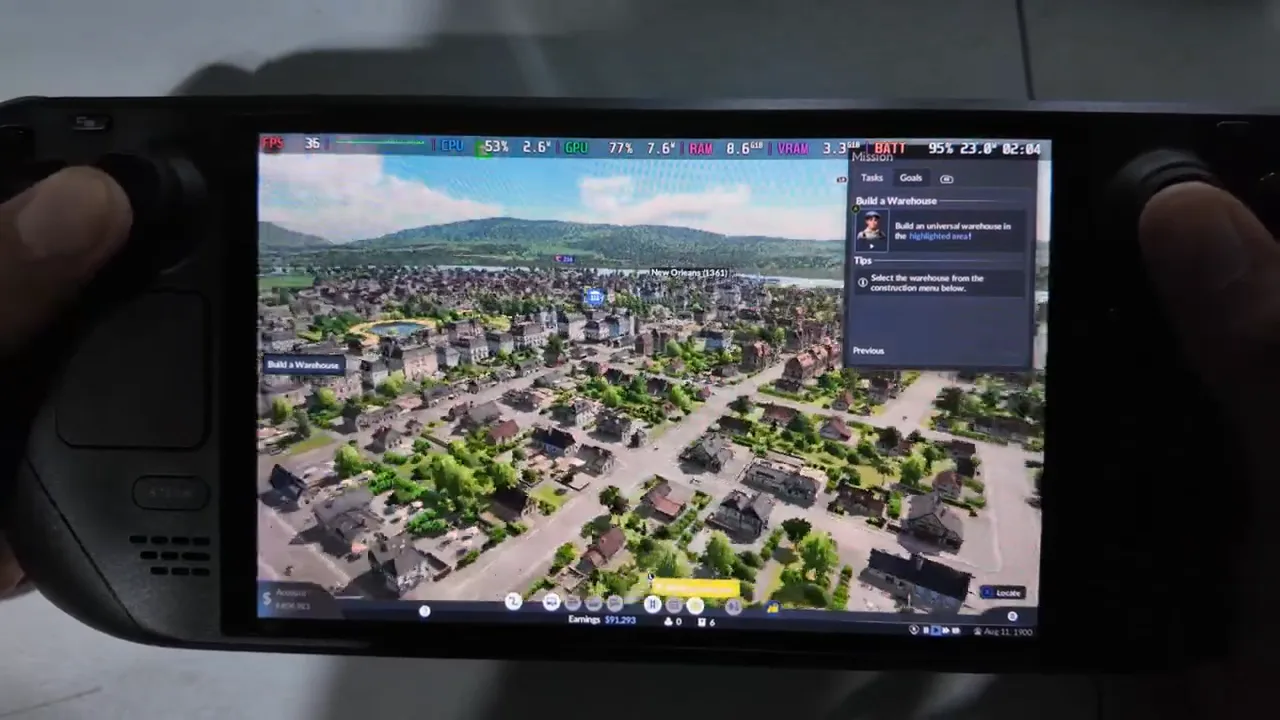
Low/60% chapter, instantaneous 35 FPS in a city scene. Different scenes prevent a controlled settings comparison.
Medium preset at 60% scale
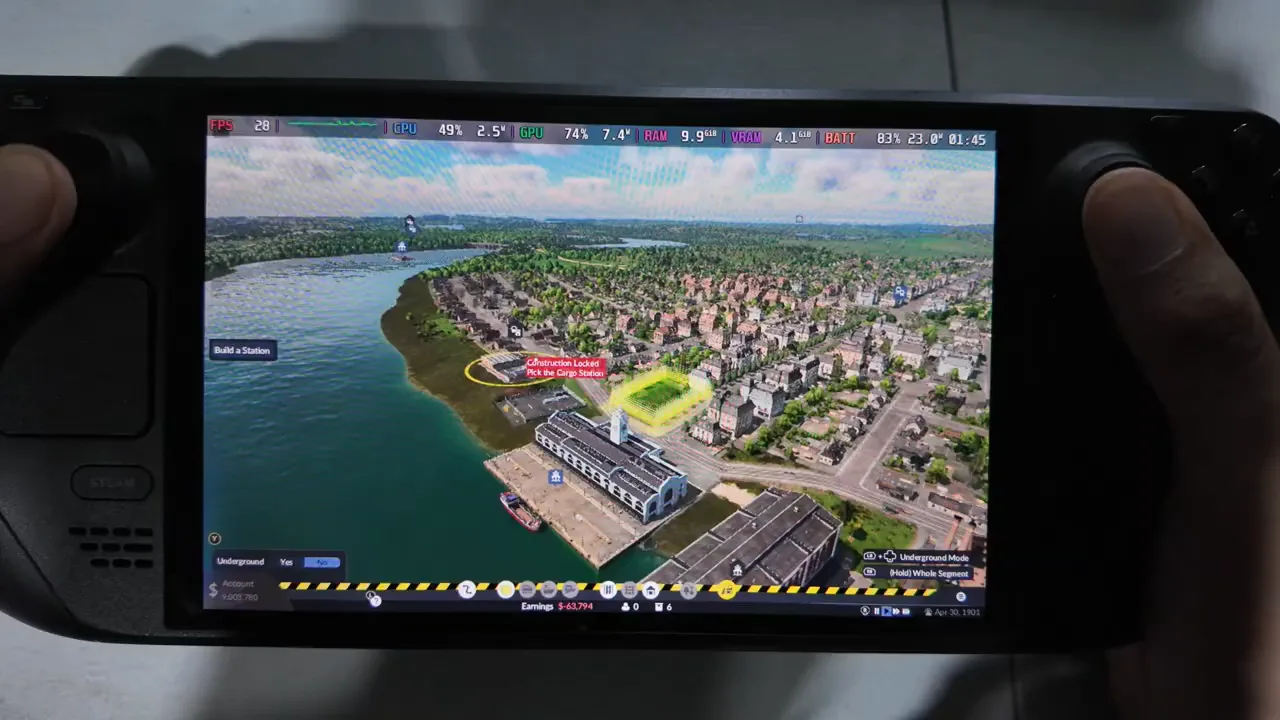
Medium/60% chapter, instantaneous 28 FPS during station placement. Different scenes prevent a controlled settings comparison.
Low preset at 70% scale with LSFG-VK 2X
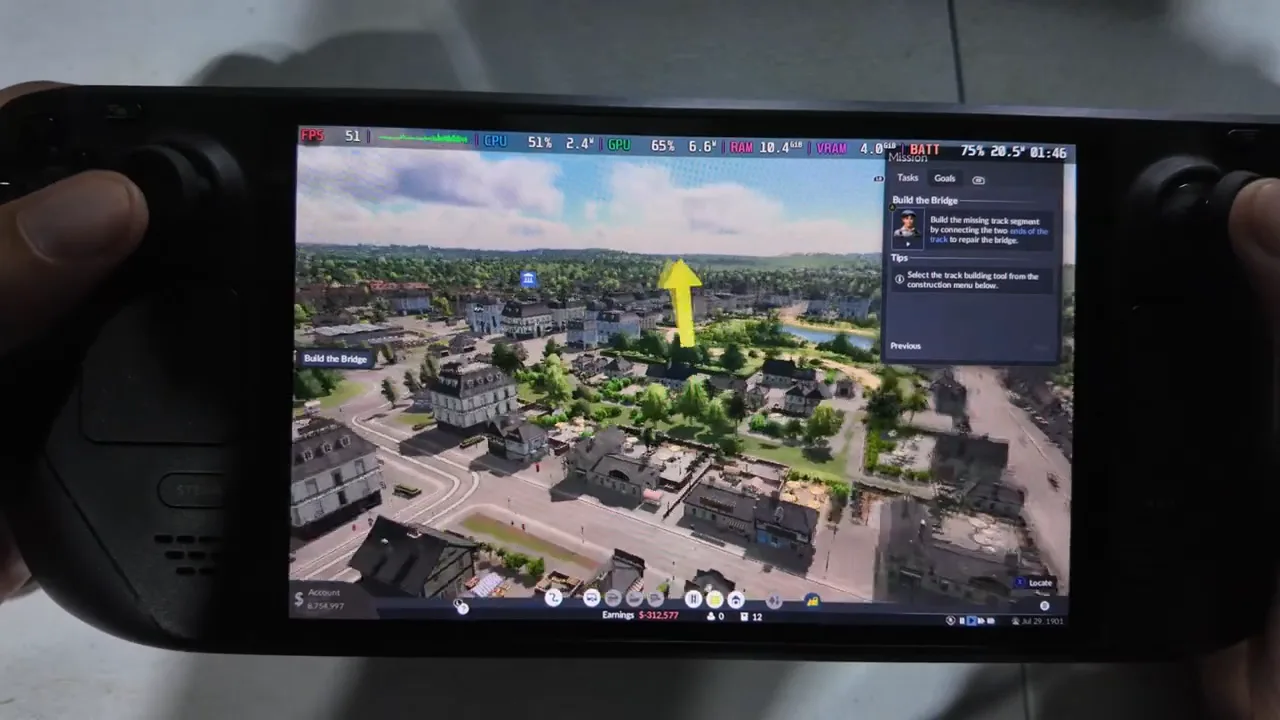
Low/70% with LSFG-VK 2X chapter, displayed 51 FPS during bridge construction; no matching native comparison. Different scenes prevent a controlled settings comparison.
That displayed counter does not establish a native-rendering result. There is no matching native baseline for the same scene, no input-latency measurement, and no evaluation of visual artifacts or frame pacing. The video metadata does not provide an installation procedure for LSFG-VK, so the image should not be used as a setup guide.
Read the settings labels without deriving a best preset
The first three chapter labels describe ordinary preset and scale combinations: Low at 100%, Low at 60%, and Medium at 60%. The fourth includes an additional third-party component. Keep that distinction when assessing what the video demonstrates.
The numerical labels do not provide individual graphics-option values. There is no reported base display resolution from which to convert the percentages into pixel dimensions. A 60% scale label therefore cannot be presented as a specific resolution or as a proven clarity-versus-performance balance.
Avoid deriving percentage gains or preset costs from these four numbers. Reducing scale is not demonstrated to add four FPS, changing to Medium is not demonstrated to lose seven FPS, and the LSFG-VK label is not evidence of doubled native performance. Those claims would require the same scene and a comparable measurement method.
Account for building-selection input
The creator's description says controller mode does not work correctly for some building selection and advises activating the mouse cursor on the trackpad. This affects an action that matters during construction, even when the game is already rendering successfully.
Keep the workaround limited to the reported interaction. The description does not identify every affected building or provide the precise button combination used to activate the cursor. It also does not establish that all menus and construction tools require mouse input.
The controller-oriented interface in the footage confirms that this interface appeared. It does not prove that every interaction is fully accessible through controller mode. If you require controller-only operation, the reported need for a cursor is relevant to your decision independently of the FPS readings.
No exact installed game patch was identified, so the building-selection issue cannot be declared fixed in a named update or assumed to occur forever. Check whether it affects the actions you need in your own session instead of applying the observation to every device and future build.
Separate compatibility from performance
There are several different questions behind whether a game “works” on Steam Deck. Launching, rendering gameplay, sustained performance and complete controls are separate results. This demonstration answers part of the gameplay question, while leaving the other checks open.
| Question | What is established |
|---|---|
| Active gameplay on a physical Steam Deck | Visible in the four scenes |
| Official Steam Deck compatibility badge | Not confirmed |
| Proton version or required launch options | No verified setup |
| Native stable average FPS | No sustained measurement |
| Late-game performance | No developed-network test |
| Battery life or power configuration | No measurements or documented profile |
| LSFG-VK installation and latency | No setup procedure or latency test |
| Building selection | Creator reports a trackpad-cursor requirement for some buildings |
A separate compatibility-test description mentions bypassing warnings and unsupported-GPU errors. It does not explain the actions used. Do not infer a Proton selection, launch flag or file edit from that promotional description. An advertised investigation is not an actionable repair procedure.
Likewise, Linux support does not establish a Steam Deck validation result. The handheld decision needs information for the actual device and setup rather than a compatibility label borrowed from another platform or another Transport Fever game.
Keep a settings evaluation record
If you assess the game on your own Deck, use a small record for each attempt. The following is a suggested method, not a tested configuration or a result from the video.
| Record field | What to write |
|---|---|
| Save and view | The same save and camera position used for comparison |
| Activity | What you did during the observation, such as placing the same building |
| Settings | Preset and resolution scale for that attempt |
| Rendering path | Native rendering or the named third-party configuration, kept in separate records |
| Duration | How long you watched or played before recording the outcome |
| Input result | Whether the intended building could be selected, and whether a cursor was needed |
Record launch, picture and input outcomes separately. An attempt can reach gameplay yet have an input limitation; an unsuccessful launch cannot provide an in-game performance result. If you note a single FPS counter, mark it as an instantaneous reading. Do not calculate an average from one counter or combine isolated counters from different scenes into a benchmark. Keep any sustained measurement separate from those observations.
For a larger existing network, evaluate that network rather than assuming a forest scene predicts its behavior. Include the ability to select the buildings you need: a high displayed counter does not resolve an input problem. Keep the LSFG-VK experiment separate from native rendering when judging your result.
If your own session runs slowly, use the general performance diagnosis. If the camera or menu inputs need adjustment, use the controller settings guide, which covers detected input rather than a universal device fix.